If you have been asked to "create a passkey" by Google, Microsoft, Amazon, or your bank in the last year, the passkey vs password decision has already landed on your plate. The marketing answer is that passkeys are simply better and you should switch everything today. The honest answer is more useful: passkeys fix the single biggest cause of account takeover, and in exchange they hand you a new set of problems around device loss, ecosystem boundaries, and account recovery.
This is not a history of authentication — if you want that, the evolution of password security covers how we got here. This is about what changes for you, day to day, starting the moment you tap "create a passkey."
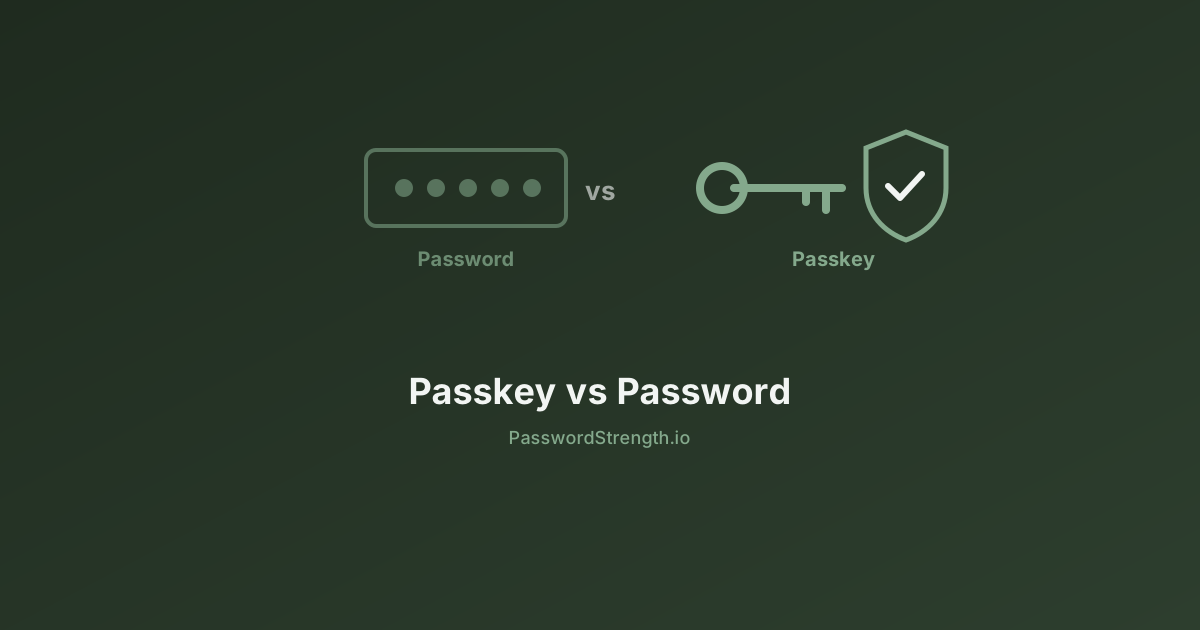
Passkey vs password: the short answer
In short: A passkey is stronger than any password you could realistically use, because it removes the shared secret entirely. But it moves your security burden from "remember a good password" to "keep control of your devices and your recovery options."
Here is the comparison across the dimensions that actually matter once you live with it:
| Dimension | Password | Passkey |
|---|---|---|
| Phishing resistance | None — a convincing fake login page collects it in seconds | Built in — the credential is cryptographically bound to the real domain and will not fire on a lookalike |
| Server breach exposure | Hashes get dumped and cracked offline | Only a public key is stored; useless to an attacker |
| Credential reuse risk | High — one reused password compromises many accounts | Zero — every passkey is unique to one site |
| Device loss | Irrelevant, you know the password | Recoverable if synced; account recovery required if device-bound |
| Cross-platform use | Works identically everywhere | Friction between Apple, Google, and Microsoft ecosystems |
| Shared accounts | Trivial — send the password | Awkward — needs a password manager that supports passkey sharing |
| Setup friction | Zero, you already know how | One extra prompt per site, per device |
| Account recovery | Email or SMS reset | Email or SMS reset — unchanged, and now the weakest link |
| Sign-in speed and success | Microsoft measured roughly 32% sign-in success for passwords | Microsoft measured roughly 98% success, and eight times faster than password plus MFA |
That last row comes from Microsoft's own May 2025 security blog, which also reported nearly one million passkeys being registered every day on consumer Microsoft accounts.
Notice what the table does not say. It does not say passkeys are unbreakable. Four of the nine rows are places where passkeys either tie with passwords or make your life harder. Most passkey vs password security comparisons stop at the first three rows, which is exactly why people are surprised by rows four through seven later.
What a passkey actually is
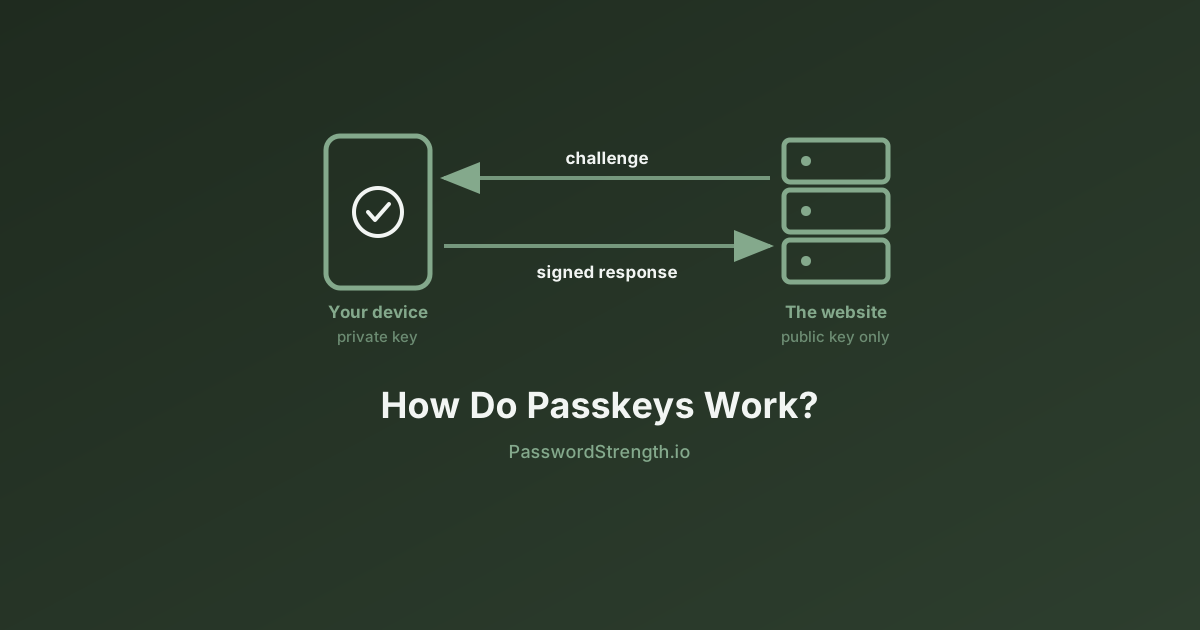
A passkey is a cryptographic key pair that replaces your password for one specific website, where the private half stays locked on your device and only the public half is given to the site. It is built on the FIDO2 and WebAuthn standards, which is why the same passkey mechanism works in Chrome, Safari, Edge, iOS, Android, and Windows without any single company owning it. If you want the step-by-step mechanics of what happens between tapping "Sign in" and being logged in, we cover that separately in how passkeys work — this section stays at the level you need to make the decision.
The wax seal analogy is the one that sticks. A password is like a secret word you shout to the gatekeeper — anyone who overhears it, including someone impersonating the gatekeeper, can shout it themselves. A passkey is like a signet ring: the site sends you a fresh lump of wax (a random challenge), you press your ring into it, and you hand back the imprint. Anyone can verify the imprint matches your published seal design, but nobody can produce a new imprint without the ring, and the imprint from yesterday is worthless today.
Three properties fall out of that design, and they are the whole reason passkeys exist:
- The private key never leaves the device. It sits in secure hardware — the Secure Enclave on Apple devices, the TEE or StrongBox on Android, the TPM on Windows. The website never sees it, so a database breach at the website cannot expose it.
- The signature is bound to the exact domain. Your browser will only invoke the passkey it created for
paypal.comwhen you are actually onpaypal.com. Onpaypa1-secure.comthe passkey simply does not appear. As Netcraft describes it, a passkey verifies the user, the device, and the service together — the lookalike domain fails that check before you can make a mistake. - There is nothing to crack. With a password, security is a race between your entropy and an attacker's hardware — the arithmetic behind how long it takes to crack a password assumes a stolen hash the attacker can hammer offline. A passkey has no shared secret sitting in a database, so that arithmetic never starts. This is a genuinely different security model, not a longer password.
When you unlock a passkey with Face ID, a fingerprint, or a device PIN, you are not sending your biometric anywhere. You are unlocking local access to the private key. That distinction matters: your fingerprint stays on your phone.
Where passkeys genuinely win
The bottom line: Passkeys eliminate the four attacks that account for the overwhelming majority of consumer account takeovers — phishing, credential stuffing, password reuse, and offline cracking of breached hashes.
Phishing is the big one. Every other defense against phishing is advisory — check the URL, look for the padlock, do not click links in emails. Passkeys make it structural. A user who cannot be tricked into handing over a credential does not need to be trained not to be tricked.
Credential stuffing dies too. If you have ever wondered why one old breach keeps causing new problems, it is because attackers replay leaked email-and-password pairs across hundreds of sites. Passkeys are unique per site by construction, so there is nothing to replay. That also quietly removes the reason most people's password strength is worse than they think — nobody invents 200 unique strong secrets by hand.
The convenience win is real and measurable, which is unusual in security. Microsoft's numbers above are the clearest public example: fewer failed sign-ins, fewer lockouts, fewer support calls. The FIDO Alliance's State of Passkeys 2026 report, published on 7 May 2026, estimates 5 billion passkeys now in use worldwide, with 75% of surveyed consumers having enabled a passkey on at least one account and 49% using them regularly when available. That research surveyed 11,000 consumers and 1,400 enterprise decision-makers across ten countries.
Availability is no longer the blocker either. Passkey support is now built into every major platform — iOS, macOS, Android, Windows, Chrome, Safari, and Edge — and the list of services offering them includes Google, Microsoft, Apple, Amazon, PayPal, and GitHub. The question for most people is no longer whether their devices support passkeys, but whether the specific site they are signing into does.
What actually breaks: device loss, ecosystems, and shared accounts
The direct answer: Nothing breaks catastrophically if your passkeys sync, but three situations reliably cause friction — losing a device that held device-bound passkeys, moving between Apple, Google, and Microsoft ecosystems, and sharing an account with someone else.
Device loss
There are two kinds of passkey, and the difference only becomes visible on the worst day.
A synced passkey is backed up to iCloud Keychain, Google Password Manager, or a third-party password manager. Lose the phone, sign into the replacement, and your passkeys are there. This is the default for most consumer setups in 2026.
A device-bound passkey lives on one piece of hardware and nowhere else — a YubiKey, a Windows Hello credential on a specific laptop, or a passkey you created before enabling sync. Lose it and that credential is gone permanently. Security teams often prefer device-bound passkeys precisely because they cannot be copied, but that same property is what bites individual users.
The practical rule: register at least two passkeys on any account you cannot afford to lose, on devices that do not share a single point of failure.
The ecosystem problem
This is the complaint you will find over and over in real user threads, and it is legitimate. A passkey created in iCloud Keychain syncs across your Apple devices and stops there. One created in Google Password Manager covers Android and Chrome. If you use a Mac at home, Windows at work, and an Android phone, you do not have one passkey — you have a small collection of them, and it is easy to lose track of which account has which.
| Where the passkey lives | Syncs across | Breaks down when |
|---|---|---|
| iCloud Keychain | iPhone, iPad, Mac, Safari on those devices | You sign in from Windows or Android |
| Google Password Manager | Android devices, Chrome on any OS | You use Safari on a Mac, or Windows Hello |
| Windows Hello | One Windows PC (device-bound by default) | You replace or reinstall the machine |
| Hardware security key (YubiKey etc.) | Nothing — the key is the device | You lose the key with no backup registered |
| Cross-platform password manager (1Password, Bitwarden, Dashlane) | Every major OS and browser | The service you are signing into blocks third-party providers |
There are two escape hatches. The first is cross-device authentication: you scan a QR code on the machine you are borrowing, and your phone approves the sign-in over Bluetooth proximity. It works, but it is slow and it requires having your phone in hand. The second is storing passkeys in a cross-platform password manager instead of a platform keychain, which sidesteps the ecosystem walls entirely at the cost of trusting one vendor with everything.
Portability is genuinely improving. The FIDO Alliance's Credential Exchange Format (CXF) and Credential Exchange Protocol (CXP) — CXF defines the data format, CXP the encrypted transfer — reached Review Draft status in March 2025, authored with Apple, Google, Microsoft, 1Password, Bitwarden, and Dashlane. Apple has since shipped CXF-based credential transfer in iOS and macOS 26, and Dashlane has launched FIDO Credential Exchange on Android. Migrating passkeys between providers is moving from impossible to merely fiddly.
Shared accounts
Passwords are terrible security and excellent logistics. You can text one to a family member in three seconds. Passkeys are the reverse. If four people share a streaming account, or a couple shares a utility login, passkeys give you no native way to hand over access. Third-party password managers that support passkey sharing are currently the only clean answer, and platform keychains do not do it at all.
Are passkeys really unphishable? The residual attack surface
The direct answer: The passkey itself is unphishable. The account it protects usually is not, because almost every service that offers passkeys still accepts something weaker.
Netcraft's assessment in Phishing After Passkeys: What Attacks to Expect is blunt on this point: no passkey solution will be completely phishing resistant while parts of it still rely on passwords and other non-phishing-resistant credentials. Netcraft's wider finding is that attackers are not trying to break passkeys at all — they are shifting toward session hijacking, malware that operates after you have successfully signed in, and social engineering aimed squarely at account recovery.
What that means in practice is the downgrade attack. An attacker does not need to defeat your passkey. They need to convince you that your passkey failed. The fake login page says "passkey unavailable, please sign in with your password" or "we could not verify your device, enter the code we texted you" — and the moment you comply, you are back in the pre-passkey threat model. The passkey was never attacked; it was routed around.
Four residual risks are worth knowing:
- Password and SMS fallbacks. As long as they exist on the account, they define your real security level. This is why two-factor authentication choices still matter after you adopt passkeys — an SMS fallback next to a passkey is a screen door on a vault.
- Account recovery flows. Covered in the next section, because it deserves its own.
- Device theft with a known PIN. An unlocked stolen device — or a stolen device whose PIN someone watched you type — can be used to invoke your passkeys directly, because possession plus unlock is the whole authentication. This is rare, but it is the one scenario where a passkey is less resilient than a password kept only in your head.
- Trusting the sync provider. Synced passkeys are only as safe as the account that syncs them. Your Apple ID or Google account becomes the master key to everything, which makes protecting that account with the strongest available method non-negotiable.
None of this makes passkeys a bad trade. It means the honest claim in any passkey vs password comparison is "passkeys remove phishing from the sign-in step," not "passkeys make you unphishable." Passwordless authentication is a destination, and almost every account you own is currently somewhere in the middle of the journey.
Account recovery is still the weak link
The bottom line: Passkeys upgraded your front door and left the back door exactly where it was. For most consumer accounts, that back door is your email inbox.
Think about what happens when a service cannot verify you. It sends a reset link to your email address, or a code to your phone number, or asks a question about your account history. That path existed before passkeys and still exists after. An attacker who can compromise your email or hijack your phone number through a SIM swap does not need to beat WebAuthn at all — they just declare that they lost their device.
This is the part vendors are quietest about, and it is why the recovery flow, not the passkey, is now your real security floor. Three things follow:
- Your primary email account is your most important account. Secure it first, with a passkey and a hardware key if the provider supports it, before you bother with anything downstream.
- Remove SMS as a recovery method wherever an alternative exists. Phone numbers are transferable in ways your accounts do not account for.
- Print or write down the recovery codes. Most services issue one-time backup codes when you enable strong authentication. Those codes are the intended answer to "I lost everything," and they only work if you saved them somewhere offline.
The standards bodies know this is unfinished business. Recovery and revocation semantics remain the least settled part of the passkey ecosystem as of mid-2026, which is a polite way of saying every service still invents its own.
How to adopt passkeys without painting yourself into a corner
In short: Start with your email and your two or three highest-value accounts, register a backup, and only remove passwords once you have proven you can get back in from a device you do not currently own.
A sequence that works:
- Secure the recovery layer first. Add a passkey to your primary email account, remove SMS recovery if you can, and save the backup codes offline.
- Pick your storage strategy deliberately. Either commit to one ecosystem keychain, or use a cross-platform password manager for everything. Mixing them is how people end up locked out.
- Register two passkeys per critical account. Phone plus laptop, or phone plus a hardware key. One is a single point of failure.
- Add passkeys to high-value accounts next. Bank, primary cloud storage, password manager itself, and any account that can authorize payments.
- Test recovery before you need it. Sign into one account from a device that has never seen your passkeys. Whatever friction you find there is exactly what you will face during an emergency, but calmer.
- Keep strong passwords where passkeys are not yet an option. Most sites still are not there, and the FIDO Alliance's own figure — 49% of people using passkeys regularly when available — tells you how much of the web still hands you a password box. Long, unique, manager-generated passwords remain the right answer for the rest of your accounts, and match what modern policy guidance recommends, as covered in the NIST password guidelines.
One habit worth breaking: do not delete a password just because you added a passkey, unless the service genuinely supports going password-free and you have tested recovery. A password you cannot remember but your manager holds is a safety net. A password you deleted from an account whose passkey lives on a phone you just dropped in a lake is not.
Related reading
- What Is Password Strength? Entropy, Length, and Real Risk — why the passwords you still need should be long rather than clever.
- How Long Does It Take to Crack a Password? — the offline-cracking math that passkeys make irrelevant.
- Two-Factor Authentication Explained — how to pick fallback methods that do not undo your passkey.
- The Complete Guide to Password Managers — the cross-platform route around passkey ecosystem walls.
- NIST Password Guidelines Explained — what current standards say about passwords, rotation, and passwordless.
- The Evolution of Password Security — how authentication got from shared secrets to public-key credentials.
What to do next
Add a passkey to your email account this week, register a second one on a different device, and save the recovery codes somewhere offline. That single sequence removes phishing from your most-targeted account and closes the recovery gap that passkeys alone do not fix.
Then deal with the accounts that still need passwords, because most of them will for years. Run your current passwords through the password strength analyzer on this site — it runs entirely in your browser and nothing you type is transmitted — and replace anything that scores weak with a long generated passphrase stored in a password manager. Passkeys where you can, strong unique passwords everywhere else, and a recovery plan you have actually tested. That is the whole strategy.