In 2025, the National Institute of Standards and Technology quietly rewrote the rules that govern how passwords should work. The updated NIST password guidelines mark a dramatic shift: if your organization still forces employees to change passwords every 90 days, requires a mix of uppercase letters and symbols, or caps password length at 16 characters — you are now officially doing it wrong, according to the agency that sets the standard for the entire U.S. federal government and most of the private sector that follows its lead.
These NIST password guidelines, published in SP 800-63B Revision 4 (finalized August 2025), don't just tweak the old rules. They invert them. And the stakes are real: 22% of all breaches start with stolen credentials according to the Verizon 2025 Data Breach Investigations Report, and compromised credentials surged 160% in 2025 compared to the previous year.
Here's what changed, why it matters, and what you should do about it.
What Is NIST and Why Should You Care About Its Password Guidelines?
The National Institute of Standards and Technology is a U.S. federal agency that develops technology standards across industries. Its Special Publication 800-63B specifically covers digital identity and authentication — in plain terms, how organizations should handle passwords.
SP 800-63B Revision 4, published in August 2025, is the most significant update to these password security standards in nearly a decade. But even if you don't work for a federal agency, these guidelines matter directly to you.
NIST sets the floor that other frameworks build on. HIPAA (healthcare), PCI-DSS (payment processing), SOC 2 (SaaS and cloud services), and ISO 27001 (international security management) all reference or align with NIST standards when defining password policy best practices. When your auditor asks about your password policy, NIST SP 800-63B is almost certainly the benchmark they're using.
The evolution didn't happen overnight. NIST has been refining its position on passwords for years as research accumulated showing that many "common sense" security practices were actually counterproductive. For a deeper look at how we got here, see our article on the evolution of password security standards.
The Biggest Changes in the NIST Password Guidelines
Rev 4 doesn't use soft language. It uses "SHALL NOT" — the strongest prohibition in standards vocabulary — to ban practices that most organizations still enforce today. Here are the major shifts:
Length over complexity: the new math
NIST now requires a 15-character minimum when a password is the sole authenticator (no multi-factor authentication). Systems must support passwords up to at least 64 characters. This settles the password length vs complexity debate once and for all: length wins every time.
A 16-character lowercase-only password has more entropy than an 8-character password using the full ASCII character set. The math is straightforward — each additional character multiplies the search space exponentially, while adding special characters to a short password only increases it linearly.
Complexity rules are officially dead
NIST now explicitly prohibits requiring users to include specific character types — no mandatory uppercase, no required digits, no forced special characters. The reasoning: these rules led users to create passwords like P@ssw0rd! — technically "complex" but trivially crackable by any attacker familiar with how attackers crack passwords using brute force and dictionary attacks.
Forced password rotation is gone
The 90-day password rotation policy that has tormented employees for decades is now banned under NIST guidelines. Passwords should only be changed when there is evidence of compromise. Forced rotation consistently led users to make minimal, predictable changes — Summer2025! becomes Fall2025! — that attackers' rule-based cracking tools handle effortlessly.
Mandatory compromised-credential screening
Organizations must now screen new passwords against databases of known compromised credentials. With 16 billion credentials leaked in a single compilation in June 2025 (reported by CyberNews) and over 53 billion total compromised credentials tracked by SpyCloud, this check catches a significant percentage of passwords before they enter production.
Support for modern input
NIST now requires that systems accept Unicode characters, spaces, emoji, and pasted passwords. Blocking paste functionality — a baffling practice that persisted at many organizations — actively discouraged the use of password managers. Organizations that adopted Unicode support reported 43% fewer password reset requests, likely because users could create more memorable passphrases in their preferred language.
Password Myths That NIST Finally Killed
NIST's update provides official cover to retire several persistent myths that have shaped bad password policies for years.
Myth: "Complex passwords with special characters are strongest"
A password like Tr0ub4dor&3 (11 characters, mixed types) has roughly 50-55 bits of entropy. A simple passphrase like correct horse battery staple (28 characters, lowercase and spaces) has roughly 90+ bits of entropy. The "complex" password falls in hours; the passphrase survives centuries.
Myth: "Change your password every 90 days"
Research consistently showed that forced rotation degrades security. Users develop coping strategies — incrementing numbers, cycling through seasons, writing passwords on sticky notes — that are far more predictable than keeping a strong password indefinitely.
Myth: "Security questions add protection"
NIST recommends against knowledge-based authentication (security questions). The answers are often publicly discoverable on social media, and users frequently reuse the same answers across services. They add friction without meaningful security.
Myth: "Short complex passwords are fine"
The crack-time comparison table below makes this concrete:
| Password | Length | Character Set | Entropy (bits) | Offline Crack Time (1T guesses/sec) |
|---|---|---|---|---|
J#7kQ!2x | 8 | Full ASCII | ~52 | ~75 minutes |
Tr0ub4dor&3 | 11 | Full ASCII | ~55 | ~10 hours |
sunflower daydream | 18 | Lowercase + space | ~82 | ~153,000 years |
correct horse battery staple | 28 | Lowercase + space | ~93 | ~315 million years |
Length wins. It's not close.
How to Create Passwords That Meet NIST Standards
The good news: creating NIST-compliant passwords is actually easier than following the old rules.
Use passphrases, not passwords
String together 4-6 unrelated words to create a memorable passphrase. The key word is unrelated — ilovemydog2026 is a sentence, not a passphrase. Good examples:
maple thunder bicycle frozen(31 characters)observatory plankton vinyl cascade(35 characters)quantum jellyfish paperclip sunrise(36 characters)
Each is easy to remember, easy to type, and would take attackers millions of years to crack through brute force.
Use a password manager
NIST's mandate that systems support paste functionality is effectively an endorsement of password managers. When you can paste passwords, you can use a manager to generate and store truly random strings like k8$mP2vR#nL9xQ4w for every account — something no human would memorize but that a manager handles effortlessly.
For a detailed walkthrough on choosing and setting up a manager, see our guide on using a password manager.
Test your passwords
Not sure whether your current passwords meet the new standard? Run them through our Password Strength Analyzer to see their entropy score, estimated crack times across multiple attack scenarios, and specific recommendations for improvement. All analysis happens locally in your browser — nothing is transmitted or stored.
What NIST Guidelines Mean for Organizations
If you're responsible for your organization's password policy, here's what needs to change.
Implementation checklist
| Old Policy | New NIST Requirement | Action |
|---|---|---|
| Minimum 8 characters | Minimum 15 characters (sole authenticator) | Update minimum length |
| Require upper, lower, digit, symbol | No composition rules | Remove complexity requirements |
| Change every 90 days | Change only on evidence of compromise | Disable forced rotation |
| Maximum 16-20 characters | Support up to 64+ characters | Increase maximum length |
| Block paste in password fields | Allow paste functionality | Enable paste |
| No breach checking | Screen against compromised credential databases | Implement blocklist checking |
Communicating changes to employees
The biggest challenge isn't technical — it's changing habits. Employees have been trained for decades that "strong" means short and complex. Frame the change positively: the new rules mean fewer password resets, no more mandatory changes every quarter, and the freedom to use passphrases that are actually memorable.
Compliance framework alignment
If your organization operates under HIPAA, PCI-DSS, SOC 2, or ISO 27001, aligning with NIST SP 800-63B Rev 4 now positions you ahead of the compliance curve. These frameworks typically lag NIST by 12-18 months, but auditors are already referencing the new guidelines.
The financial incentive is real: credential-based breaches cost organizations an average of over $5 million per incident, with a detection time averaging 292 days according to IBM's 2025 report. Meanwhile, stolen credentials sell for as little as $10 on criminal markets — the asymmetry between attack cost and damage is staggering.
For more on building a comprehensive policy, see our guide on password security policies for your business.
Beyond Passwords: NIST's Push Toward Multi-Factor and Passwordless
NIST's updated guidelines treat passwords as a necessary baseline — not the end goal. The broader push is toward reducing reliance on passwords entirely.
Multi-factor authentication as the cornerstone
MFA is now strongly recommended across all assurance levels. The combination of something you know (password) with something you have (phone, hardware key) or something you are (biometric) dramatically reduces the value of stolen credentials. Even the 88% of basic web application attacks that involved stolen credentials (Verizon 2024 DBIR) would fail if the target accounts required a second factor.
For a practical guide to getting started, see our article on two-factor authentication (2FA).
The passwordless future: FIDO2, WebAuthn, and passkeys
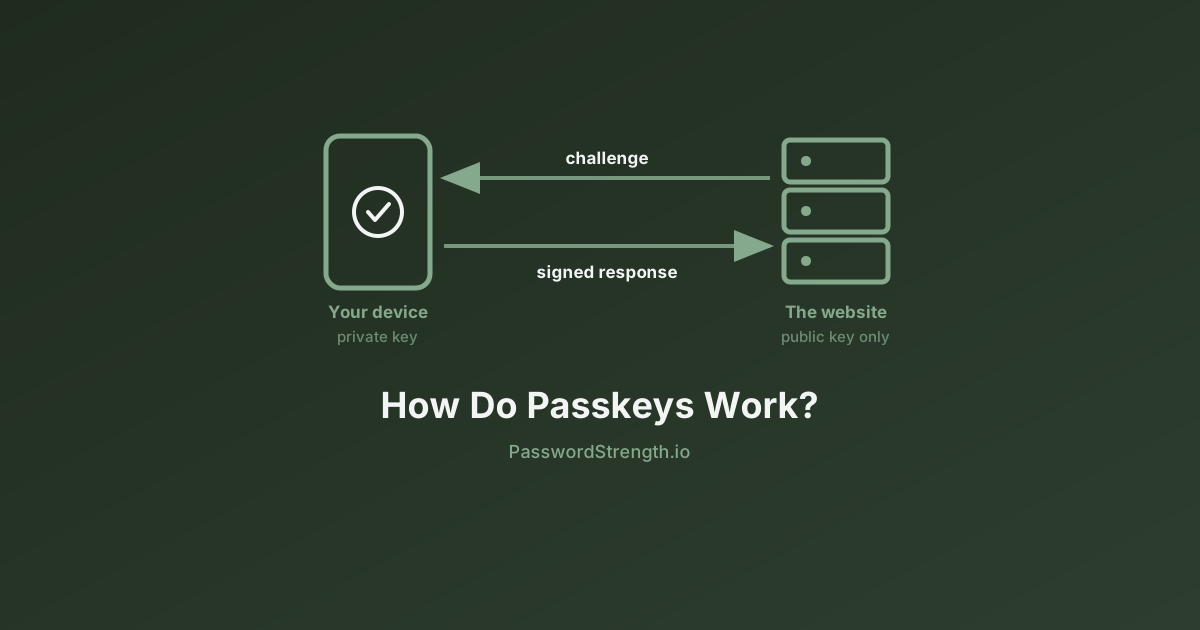
NIST's guidelines now explicitly recognize passwordless authentication methods. Passkeys — built on FIDO2 and WebAuthn standards — replace passwords with cryptographic key pairs stored on your device. You authenticate with a fingerprint, face scan, or device PIN. There's nothing to crack, nothing to phish, and nothing to reuse across accounts.
Major platforms (Apple, Google, Microsoft) have rolled out passkey support across their ecosystems. While adoption is still growing, the trajectory is clear: passwords are a bridge technology, and NIST is actively building the road to what comes next.
Key Takeaways
NIST's updated password guidelines aren't academic theory — they define the password security standards 2026 demands and beyond. The core message is simple:
- Longer is better. A 15+ character passphrase beats an 8-character "complex" password every time.
- Stop forcing changes. Rotate passwords only when compromised, not on a calendar.
- Screen against breaches. Check every new password against known compromised credential lists.
- Enable modern tools. Support paste, Unicode, and long passwords so users can actually follow best practices.
- Move toward MFA and passwordless. Passwords alone aren't enough. Layer in a second factor now, and plan for passkeys.
Want to see how your current passwords measure up against the new standard? Test them with our free Password Strength Analyzer — it calculates entropy, estimates crack times, and flags weaknesses, all entirely in your browser with zero data transmitted. It takes five seconds to check, and the results might surprise you.