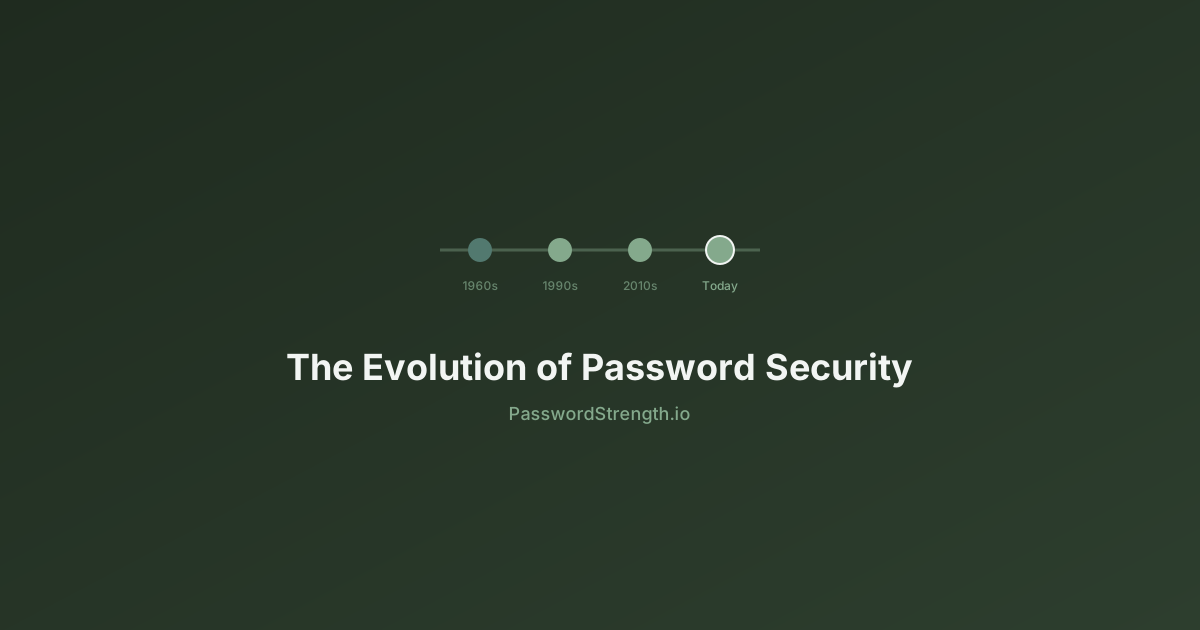
Passwords have been protecting computer accounts since 1961. In sixty-five years they have been repeatedly broken, patched, and reinvented. Here is the full story — and where authentication is heading next.
Understanding where passwords came from makes it easier to understand why they fail — and why the replacements being rolled out today are fundamentally different from everything that came before.
1961 — The first computer password
The password was invented at MIT in 1961 as part of the Compatible Time-Sharing System (CTSS) — one of the first systems to allow multiple users to share a single computer. Each user was assigned a file allocation and a personal password stored in a plain-text file called PASSWORD. Security was minimal because computers were physically isolated research machines, not networked systems.
The first known password security incident also happened at MIT. A system administrator accidentally printed the entire PASSWORD file when they confused it with another file. Users could log in as anyone on the system. The incident was a preview of nearly every password problem that would follow: the real vulnerability was not the password itself but where and how it was stored.
"We were building a system to let many people share one computer. We needed some way to keep each person's files separate. Using a secret word each person would know seemed obvious at the time." — Fernando Corbato, CTSS designer
1970s — Hashing arrives with Unix
The move from storing passwords in plain text to storing cryptographic hashes was the single most important advance in password security history. It happened in the 1970s with Unix.
In 1976, Unix began using a one-way hashing function based on DES — later called crypt(). The system stored a scrambled representation of the password, not the password itself. When a user logged in, the system would hash their input and compare it to the stored hash. The original password was never stored anywhere. Even a system administrator reading the password file could not recover user passwords.
In 1979, Unix co-creators Robert Morris and Ken Thompson published a landmark paper on password security that introduced the concept of salting — adding a random value to each password before hashing, so two users with the same password would produce different hashes. This prevented attackers from cracking many passwords at once using precomputed tables.
Salted hashing meant that stealing the password database was no longer enough for an instant compromise. Each password now had to be attacked individually. This remains the correct foundation 50 years later — modern algorithms like bcrypt, scrypt, and Argon2 are direct descendants of this approach, with far higher computational costs.
1980s-1990s — The internet era begins
The arrival of networked computing changed the threat model entirely. Passwords were no longer protecting a physical terminal in a locked building — they were protecting accounts accessible from anywhere on the planet.
The 1988 Morris Worm — the first self-propagating worm on the internet — exploited weak and default passwords across Unix systems and spread to thousands of machines. It was an early, dramatic demonstration that password hygiene had become a critical public infrastructure concern, not just an academic problem.
Corporate password policies emerged in this decade: forced expiration (change your password every 90 days), complexity requirements (must contain numbers and symbols), and minimum length rules. Many of these policies were well-intentioned but counterproductive. Research would later show that forced expiration caused users to make predictable incremental changes — password1 to password2 — that provided almost no security benefit while degrading usability significantly. NIST formally deprecated forced periodic rotation in 2017.
The mid-1990s brought the World Wide Web and with it an explosion of online accounts. For the first time, ordinary people needed to manage passwords for email, early online banking, and shopping. Password reuse — using the same password everywhere — became endemic almost immediately.
1997: The first password manager
Security researcher Bruce Schneier created Password Safe in 1997 — the first dedicated password manager — as a direct response to the impossible burden of maintaining unique strong passwords across dozens of accounts. The core insight has not changed: humans cannot reliably manage more than a handful of strong unique passwords without a tool.
2000s — Breaches, phishing, and the password manager
The 2000s brought the first wave of massive data breaches, making credential theft a mainstream problem. By this point, hundreds of millions of people had online accounts — and most reused a handful of passwords across all of them. An attacker who cracked one site's database now held keys to dozens of others.
Phishing — sending convincing fake emails that led users to fake login pages — became one of the most effective and low-cost attack methods ever devised. No cryptographic protection helps when the user willingly types their password into the attacker's website.
GPU-accelerated password cracking also emerged in this era. Nvidia's CUDA platform (2007) allowed researchers and attackers alike to run cracking software on graphics cards, achieving speeds previously requiring specialized hardware clusters. Suddenly, password hashes that would have taken years to crack with a CPU could be exhausted in hours.
The RockYou breach in 2009 became a defining moment. Approximately 32 million passwords were leaked in plain text due to no hashing at all. The resulting password list — rockyou.txt — remains the most important dictionary in offensive security decades later, because it represents how real humans actually choose passwords.
2010s — Two-factor authentication goes mainstream
The 2010s saw passwords repeatedly fail at scale. The LinkedIn breach (2012, 117 million accounts), Adobe breach (2013, 153 million accounts), and Yahoo breach (2016, 3 billion accounts) collectively put a significant fraction of all internet users' credentials into attacker hands.
The industry response was two-factor authentication. Google launched 2-Step Verification in 2011 and began strongly promoting it after its own systems were targeted. SMS-based codes became ubiquitous — far from perfect, but significantly better than passwords alone for account protection.
Meanwhile, NIST published the landmark SP 800-63B guidelines in 2017, reversing decades of received wisdom about password policy. Key changes included:
- Stop forcing periodic password changes — they cause more harm than good
- Focus on password length over arbitrary complexity rules
- Check new passwords against lists of known-compromised passwords
- Do not impose composition rules (must have uppercase, number, symbol) that create predictable patterns
Hardware security keys
The FIDO Alliance, founded in 2012, developed open standards for hardware-based authentication. The U2F standard (2014) and later FIDO2 (2018) enabled physical USB and NFC keys that perform cryptographic verification tied to the actual website domain — making them immune to phishing. Google reported in 2018 that no employee who used a hardware security key had suffered an account takeover.
Biometrics: a second factor, not a replacement
Apple's introduction of Touch ID on the iPhone 5S in 2013 brought fingerprint authentication to hundreds of millions of consumers for the first time. Face ID followed on the iPhone X in 2017. Android manufacturers followed with their own implementations.
Biometrics are genuinely convenient and meaningfully secure for device-level authentication. But they are frequently misunderstood as a replacement for passwords. They are not — and by design, they cannot be.
| Property | Password | Biometric |
|---|---|---|
| Can be changed if compromised | Yes | No — you have one face, ten fingers |
| Stored on the device | Rarely | Yes — never leaves the device |
| Transmitted over the network | Often | Never |
| Can be compelled by law | Harder (5th Amendment in the US) | Courts have ruled compelled biometrics valid |
| Phishing resistant | No | Yes (bound to device) |
In practice, biometrics on smartphones work as a convenient way to unlock your device — which then uses cryptographic keys to authenticate to services. The biometric never leaves the device's secure enclave. This is an elegant design, but it means the underlying account security still depends on the keys and credentials stored on the device.
2022-present — Passkeys and the passwordless era
Passkeys are the most significant shift in consumer authentication since the password was invented. In 2022, Apple, Google, and Microsoft jointly committed to rolling out passkey support across their platforms. By 2023, major services — Google Accounts, Apple ID, PayPal, GitHub, and hundreds of others — had deployed passkeys for users.
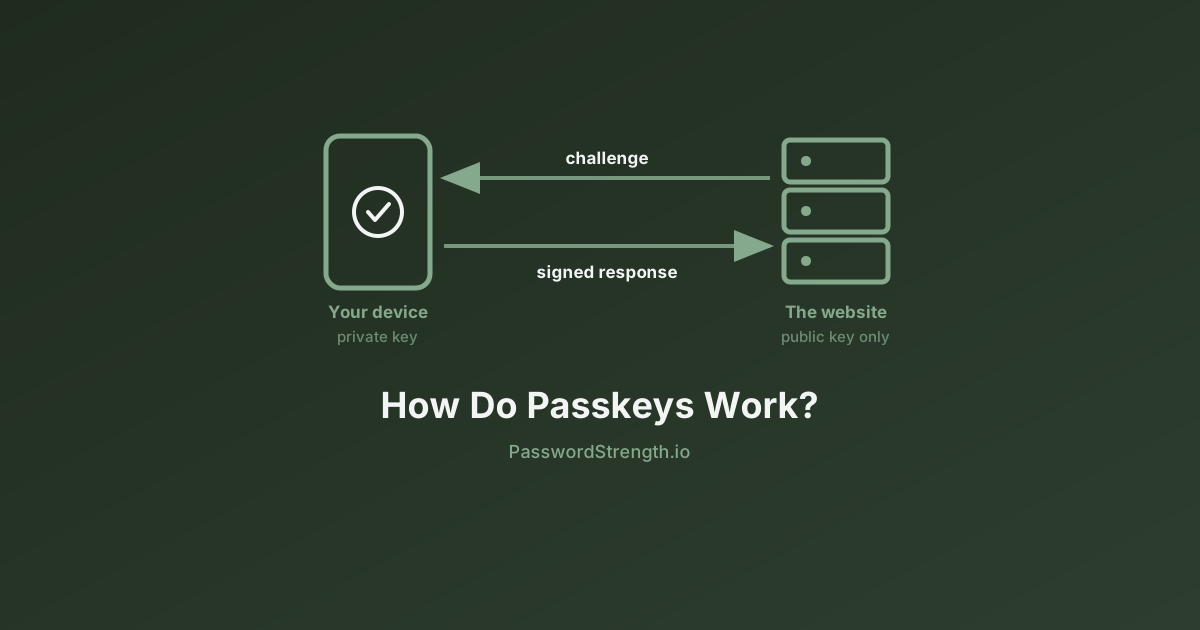
A passkey is a FIDO2/WebAuthn credential: a cryptographic key pair where the private key never leaves your device and the public key is stored on the service. When you log in, the server sends a challenge and your device signs it with the private key. There is no password to phish, no hash to crack, and no shared secret that can be stolen from the server.
How passkeys address every classic attack
- Phishing: The private key is bound to the exact domain it was created for. A fake site cannot receive a valid signature.
- Credential stuffing: There are no reusable passwords to stuff. Each passkey is unique and device-bound.
- Database breach: The server stores only your public key. A stolen database gives attackers nothing useful.
- Brute force: There is nothing to brute force. Private keys are 256-bit cryptographic secrets generated by the device.
Passkeys are synced across devices through iCloud Keychain (Apple), Google Password Manager, or third-party managers like 1Password and Bitwarden. This means they work across your phone, laptop, and tablet without re-enrollment. The user experience is simply: confirm with your face or fingerprint — no typing, no remembering.
What comes after passwords
Passwords will not disappear overnight. Billions of accounts on legacy systems still depend on them, and the long tail of small services may take another decade to adopt passkeys or equivalent standards. But the direction is clear.
Continuous authentication
Rather than authenticating once at login, some enterprise systems now continuously verify identity throughout a session — using typing patterns, device posture, location, and behavioral signals. If something changes mid-session, access is suspended until re-verification. This is one component of a broader Zero Trust security model.
Post-quantum cryptography
Quantum computers capable of breaking the RSA and elliptic-curve cryptography underlying current passkey and PKI systems do not yet exist — but NIST finalized the first post-quantum cryptography standards in 2024. The authentication infrastructure being built today is being designed to be upgradeable to quantum-resistant algorithms before those attacks become practical.
Decentralized identity
Emerging decentralized identity standards (W3C DID, verifiable credentials) envision a world where you carry cryptographically provable identity attributes on your own device rather than maintaining accounts with every service. Instead of proving "I know the password for [email protected]," you prove "I am the holder of this identity credential issued by a trusted authority" — without revealing any other information.
Every generation of authentication technology has had to contend with the same human factors: people choose convenience over security, forget or lose their credentials, reuse secrets across multiple systems, and can be socially engineered into giving away access. The best authentication designs in 2026 work with human behavior rather than demanding users act like security engineers. Passkeys are the first widely-deployed consumer technology that credibly achieves this.
Conclusion
The journey from a plain-text file called PASSWORD on an MIT mainframe to cryptographic key pairs stored in a secure enclave on your phone spans 65 years of breaches, patches, rediscovered problems, and genuine progress. Passwords survived longer than anyone designing them in 1961 could have anticipated — and the systems replacing them are better in almost every measurable way.
Until passkeys are universal, strong unique passwords remain the foundation of account security. Understanding the history of why they fail makes it easier to use them well and to adopt stronger alternatives as they become available.
See how your current passwords hold up. Until every account supports passkeys, a strong unique password is your best protection. Check yours for entropy, crack time, and pattern weaknesses with our Password Analyzer.