A passphrase is a secret made of several words rather than a single short string of characters. That is the usual answer, and it is only about a third correct. The word "passphrase" is used for three genuinely different things in computing, which is exactly why so many people end up searching for what a passphrase is in the first place.
If you arrived here because your router asked for a "passphrase", or because ssh-keygen asked you to "enter passphrase (empty for no passphrase)", or because someone told you to use word-based passwords, you have three different questions. This guide answers all three, then goes deep on the one most people mean.
What is a passphrase?
A passphrase is a secret composed of multiple words, typically 20 to 60 characters long, used where a password would otherwise go. Arnold Reinhold, who created the Diceware method, puts it plainly on the Diceware Passphrase Home Page: "Passphrases differ from passwords only in length. Passwords are usually short, six to twelve characters. Passphrases are usually much longer — typically 25 to 64 characters (including spaces)."
Reinhold also credits the modern passphrase concept to Sigmund N. Porter in 1981, so this is not a new idea being rediscovered — it is a forty-year-old idea that finally became practical when systems stopped truncating passwords at eight characters.
In short: the passphrase meaning that most people want is simply this — a long password whose length comes from words instead of from random symbols.
The three things "passphrase" actually means
Every page ranking for this term picks one of these three meanings and ignores the other two. Here they are side by side.
| Word-based password | Key passphrase (SSH / GPG) | Wi-Fi passphrase (WPA2 / WPA3) | |
|---|---|---|---|
| What it protects | An account login or a password vault | A private key file sitting on your disk | Access to a wireless network |
| Who else knows it | Only you | Only you | Everyone on the network |
| Where it is checked | On a remote server | Locally, on your own machine | By your router / access point |
| Typical length | 4–7 random words | 15+ characters, often word-based | 8–63 ASCII characters (802.11i limit) |
| What happens if it leaks | That one account is compromised | Your stolen key file becomes usable | Anyone can join and sniff your network |
| Can you rotate it easily? | Yes | Yes — re-encrypt the key, same key pair | Yes, but every device must be re-joined |
The confusing part is that only the first one is a password in the everyday sense. An SSH key passphrase never travels anywhere; it decrypts a file on your laptop. A Wi-Fi passphrase is a shared secret, which makes it structurally different from every other secret in your life.
Most of the rest of this guide is about the first meaning, because that is what almost everyone is asking about. The other two get their own sections further down.
How Diceware makes a passphrase genuinely random
Diceware is a method for generating a passphrase by rolling physical dice to pick words from a numbered list, so that no human judgment enters the process. It is the reason passphrases can be reasoned about mathematically at all.
The mechanics are simple. The Diceware word list contains 7,776 short words, each labelled with a five-digit number using only the digits 1 through 6. You roll five ordinary dice, read off a number like 21114, and look up the matching word — climb. Repeat for each word you want.
Why 7,776? Because 6⁵ = 7,776 — every possible outcome of five dice maps to exactly one word, with no leftovers and no bias. Each word therefore contributes log₂(7,776) ≈ 12.9 bits of entropy.
Reinhold is emphatic that you should not substitute software here: "Do not use a computer program or electronic dice generator. There is no easy way to be sure they are random enough." In practice, a password manager's generator using a vetted cryptographic random source is fine for ordinary accounts; dice are for the handful of secrets where you want to trust nothing but physics.
Why the EFF published its own wordlists
In 2016 the Electronic Frontier Foundation released replacement wordlists, explained by cryptographer Joseph Bonneau in Deep Dive: EFF's New Wordlists for Random Passphrases. The original Diceware list contains single letters, two-letter fragments, and obscure words that people find hard to remember and hard to type.
The EFF's long list keeps the same 7,776 entries — and therefore the same 12.9 bits per word — but draws only words of 3 to 9 characters, ranked by how recognisable they are to English speakers using data from Ghent University's Center for Reading Research. Profanity, homophones, and commonly misspelled words were removed.
The EFF also publishes two 1,296-word short lists (four dice, 10.3 bits per word). Bonneau's own figures: the long list averages 7.0 characters per word and 1.8 bits of entropy per character; the short list averages 4.5 characters per word and 2.3 bits per character. The trade-off is straightforward — eight words from the short list gives about 82 bits, slightly more than six from the long list, but you type more words to get there.
The bottom line: the wordlist you use barely matters for security as long as it has a known size and you select from it randomly. It matters a great deal for whether you actually remember the result.
Passphrase vs password: the entropy math
At equal entropy, a passphrase and a random character string are exactly as hard to guess. The passphrase is longer in characters and shorter in things-to-remember. That is the entire trade.
Entropy is the standard measure of how many guesses an attacker needs; we cover the concept in depth in what password strength actually means. Here we only need two constants: 12.9 bits per Diceware word, and about 6.55 bits per character for a string drawn randomly from the 94 printable ASCII characters.
| Diceware words | Entropy | Typical length | Equivalent random ASCII password | Roughly comparable to |
|---|---|---|---|---|
| 3 words | ~39 bits | ~23 chars | 6 characters | Too weak for anything |
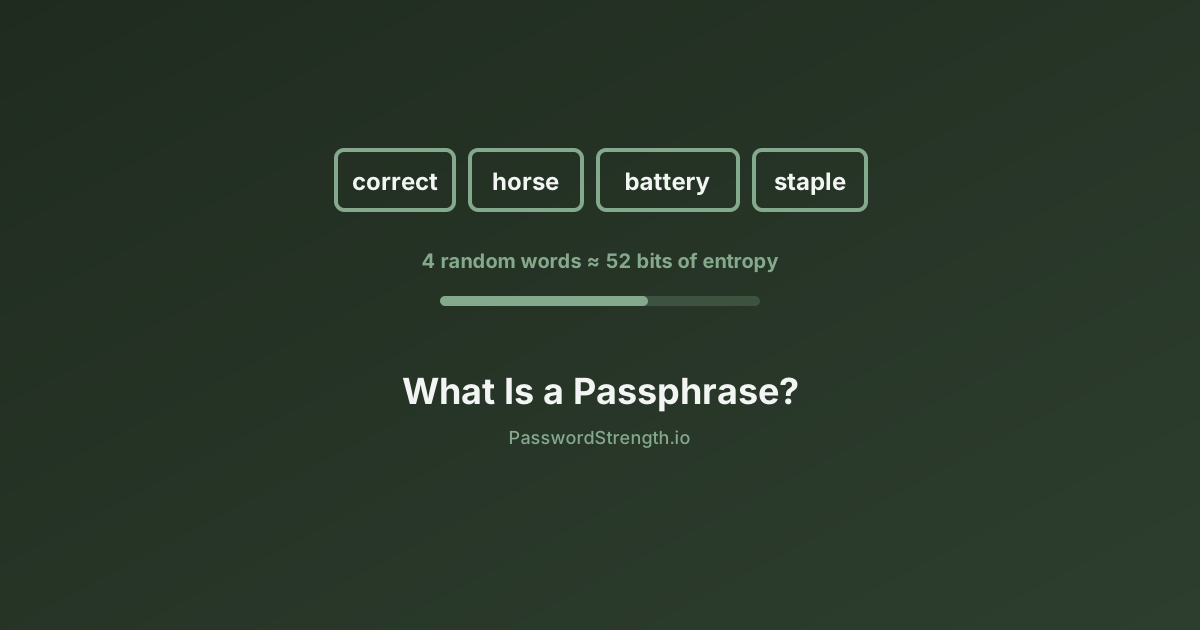
| 4 words | ~52 bits | ~30 chars | 8 characters | A low-value account with 2FA |
| 5 words | ~65 bits | ~37 chars | 10 characters | A solid everyday account password |
| 6 words | ~77 bits | ~45 chars | 12 characters | Password manager master password |
| 7 words | ~90 bits | ~52 chars | 14 characters | Whole-disk encryption |
| 8 words | ~103 bits | ~59 chars | 16 characters | Long-term key material |
(Entropy figures are 12.9 bits × word count. Character lengths assume the EFF long list's 7.0-character average plus separators.)
Two things jump out of that table.
First, a six-word passphrase is not dramatically stronger than a 12-character random password — it is the same strength. Anyone claiming passphrases are inherently more secure is confusing "longer in characters" with "harder to guess."
Second, the passphrase is roughly four times longer to type. That cost is worth paying only when a human has to hold the secret in their head. For the other 200 accounts, let a password manager generate 16 random characters and never look at them.
Reinhold's own recommendations map onto this: five words is "much higher than the simple passwords most people use," six words is the minimum for GPG, wireless security, and file encryption, and seven to nine words is for whole-disk encryption and similar high-value uses.
If you want to see how these numbers translate into wall-clock guessing time under different attack models, see how long it takes to crack a password.
Why "correct horse battery staple" is right and wrong
The famous xkcd 936 comic is the single biggest reason passphrases went mainstream, and its core argument holds up. Its worked example does not.
The comic contrasts Tr0ub4dor&3 — an uncommon base word plus the standard capitalise-substitute-append ritual — against four common words. It scores the first at about 28 bits of entropy, noting that 2²⁸ is about 3 days at 1,000 guesses per second, and labels it "difficulty to remember: hard." The four-word phrase scores 44 bits and is easy to remember. The point is that the complexity ritual buys you almost nothing while costing you a great deal of memorability.
That point is correct and NIST now agrees with it in writing (next section). But three caveats matter:
44 bits is not enough in 2026. The comic's estimate assumes 11 bits per word, implying a pool of about 2,048 common words. Against an offline attack on a stolen hash — the scenario the comic explicitly sets aside — 44 bits is thin. Use five or six Diceware words, not four common ones.
Attackers model word-based passwords too. Password crackers have supported wordlist combination and rule-based word chaining for years. Assuming an attacker does not know you used four English words is exactly the mistake that inflates entropy estimates. The techniques hackers actually use include multi-word candidate generation as standard.
correcthorsebatterystaple is now in every cracking dictionary. Any phrase you have seen written down has zero entropy. The same goes for song lyrics, film quotes, and Bible verses.
The EFF makes the underlying point directly: "Randomly-generated passphrases offer a major security upgrade over user-chosen passwords. Estimating the difficulty of guessing or cracking a human-chosen password is very difficult."
In short: the comic is right that length beats complexity, and right that four words beat Tr0ub4dor&3. It is not a licence to pick four words yourself.
What NIST says about passphrases
NIST's revised digital identity guidelines endorse the reasoning behind passphrases explicitly, and the current requirements are stricter than most summaries claim.
NIST SP 800-63B-4, the finalised fourth revision, sets these rules for password verifiers:
- Passwords used as a single factor SHALL be a minimum of 15 characters. Passwords used only as part of multi-factor authentication may be as short as 8.
- Verifiers SHOULD permit a maximum length of at least 64 characters — long enough for an eight-word passphrase.
- Verifiers SHOULD accept all printing ASCII characters and the space character.
- Verifiers SHALL NOT impose composition rules such as requiring mixtures of character types.
- Verifiers SHALL NOT require periodic password changes, but SHALL force a change on evidence of compromise.
- Chosen passwords SHALL be checked against a blocklist of common, expected, or compromised values.
Appendix A of the document explains why, and names passphrases directly: "a different and somewhat more straightforward approach based primarily on password length is presented herein. The use of passphrases (i.e., passwords with multiple words) is often an effective way to create a longer password."
NIST is equally blunt about why complexity rules failed: "a user who might have chosen 'password' as their password would be relatively likely to choose 'Password1' if required to include an uppercase letter and a number."
Note the 15-character floor. A four-word passphrase clears it comfortably; so does any five-word one. We break down the full standard in the NIST password guidelines explained.
WPA2 and WPA3 Wi-Fi passphrases
A WPA2 passphrase is the shared secret that lets a device join a wireless network, and the IEEE 802.11i-2004 standard requires it to be between 8 and 63 ASCII characters. It is not an account password and it behaves differently from one.
Three properties make Wi-Fi passphrases their own category:
It is shared, not personal. Every phone, laptop, TV, and doorbell on the network holds the same secret. You cannot revoke one device without changing it for all of them.
Guessing happens offline. An attacker within radio range can capture the four-way handshake — or, since 2018, extract a PMKID from a single EAPOL frame without waiting for any client to connect — and then guess at full hardware speed with no rate limiting from your router.
The 8-character minimum is dangerously low. In False Sense of Security on Protected Wi-Fi Networks (Lim, Abdul Rahman, and Sikdar), researchers at SUTD and NUS collected 3,352 Wi-Fi password hashes and found that 16 percent used the minimum-length or default patterns the standard permits. Their finding on the worst case: "when 8-digit passphrases are used, the passphrase may be broken within 10 minutes."
WPA3-Personal replaces the WPA2 handshake with SAE, which is designed to resist exactly this offline guessing. But most home networks still run WPA3 in transition mode for compatibility with older devices, which keeps a WPA2-compatible path available — and therefore keeps the offline attack available too.
What to do: use a five- or six-word Diceware passphrase for your Wi-Fi. It is long, it is inside the 63-character limit, and — unlike a random string — you can read it aloud to a guest without spelling out % and ~. That last property is the single best argument for a passphrase on a home network.
SSH and GPG key passphrases
An SSH key passphrase encrypts your private key file on disk. It is not a login credential, and understanding that distinction resolves most of the confusion around it.
When you run ssh-keygen and it prompts for a passphrase, you are choosing a secret that will be run through a key derivation function to produce a symmetric encryption key, which then encrypts the private key file. As ssh.com's academy article puts it: "A password generally refers to something used to authenticate or log into a system. A passphrase generally refers to a secret used to protect an encryption key."
The purpose is protecting the key at rest. Quoting the same source: "This makes the key file by itself useless to an attacker. It is not uncommon for files to leak from backups or decommissioned hardware, and hackers commonly exfiltrate files from compromised systems."
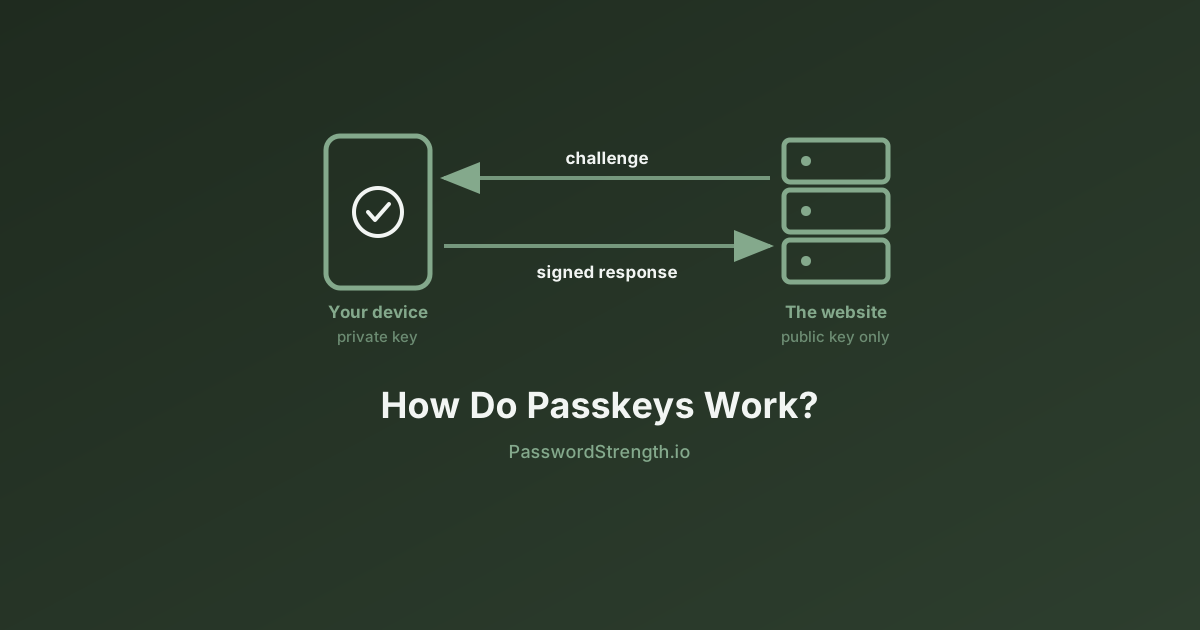
Nothing is sent to the server when you authenticate. The server only ever sees a signature made with the decrypted key, so an attacker on the network never has anything to guess at. That also means there is no rate limiting — if someone steals your key file, they can attack the passphrase offline. ssh.com's guidance is at least 15 characters, preferably 20.
Two practical notes. First, ssh-agent means you type the passphrase once per session, not once per connection, which removes most of the friction argument against using one. Second, ssh.com observes that "more than 90% of all SSH keys in most large enterprises are without a passphrase" — mostly automation keys, where there is no human to type anything. Your personal laptop key is not automation. Give it a passphrase.
GPG private keys work the same way, which is why Reinhold's six-word minimum is framed around GPG specifically.
How to create and remember your own passphrase
Generate it randomly, write it down once while you learn it, and use it only for the few secrets you must type from memory.
Step 1 — decide how many you actually need. Realistically: your device login, your password manager master passphrase, your Wi-Fi, and maybe a disk encryption key. Everything else should be 16 random characters stored in a manager — see our guide to password managers.
Step 2 — generate, don't compose. Roll five dice per word against the EFF long list, or use a passphrase generator that draws from a known wordlist with a cryptographic random source. Do not pick words that "go together." Do not swap a word you dislike — that reduces the pool and breaks the math.
Step 3 — pick your word count. Five words (~65 bits) for accounts with 2FA and rate limiting. Six words (~77 bits) for a password manager master passphrase or Wi-Fi. Seven or more for disk encryption.
Step 4 — keep the separators simple. Hyphens, spaces, or nothing. NIST says verifiers SHOULD accept the space character, but some legacy systems still strip it, so hyphens are the safer default.
Step 5 — write it down for two weeks. Reinhold's advice is to "keep a written copy of your passphrase in a safe place." A card in your wallet is a real security control against the much likelier threat of forgetting it. Destroy the card once the phrase is in muscle memory.
Step 6 — do not decorate it. Adding !1 to the end adds roughly 3 bits to a 77-bit secret and makes it meaningfully harder to type. If you need more strength, add a word: that is another 12.9 bits.
Two habits that quietly destroy a passphrase: reusing the same one across a laptop login and a password vault, and picking words with a personal theme. Both are how a phrase that looks like 77 bits ends up being guessed in an afternoon.
Related reading
- What password strength actually means — entropy, scoring, and why strength meters disagree with each other
- NIST password guidelines explained — the full SP 800-63B-4 requirements and what changed
- How long does it take to crack a password? — turning bits of entropy into wall-clock time
- How hackers actually crack passwords — dictionary attacks, rules, and multi-word candidate generation
- The complete guide to password managers — where your one memorised passphrase should live
What to do next
Pick the one secret that matters most — almost always your password manager's master credential — and replace it with a six-word randomly generated passphrase this week. That single change protects everything else you own.
Then check your work. Paste a candidate passphrase into the password strength analyzer on this site to see its entropy and estimated crack time; the analysis runs entirely in your browser and nothing is transmitted. If a six-word phrase does not score the way you expect, that usually means the generator was not as random as you thought.
Finally, change your Wi-Fi passphrase off whatever your router shipped with. The 8-character minimum in the standard is a floor, not a recommendation — and the research says a lot of networks are sitting right on it.